
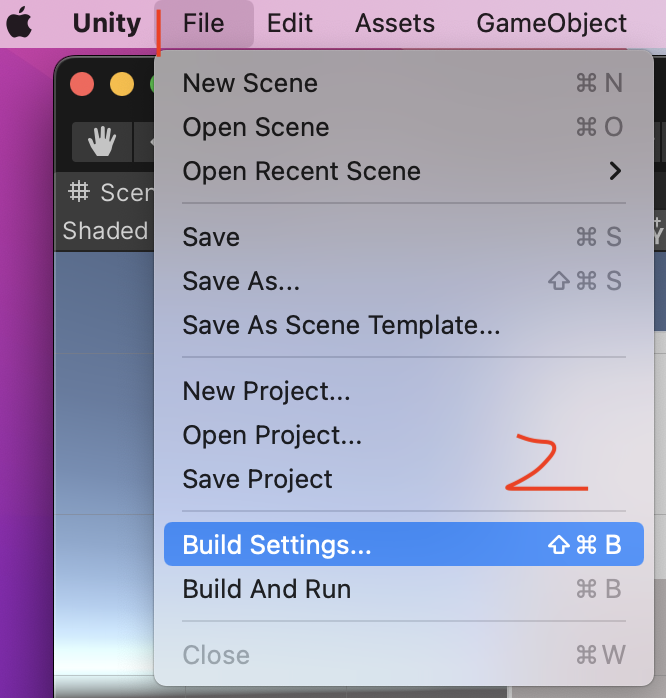
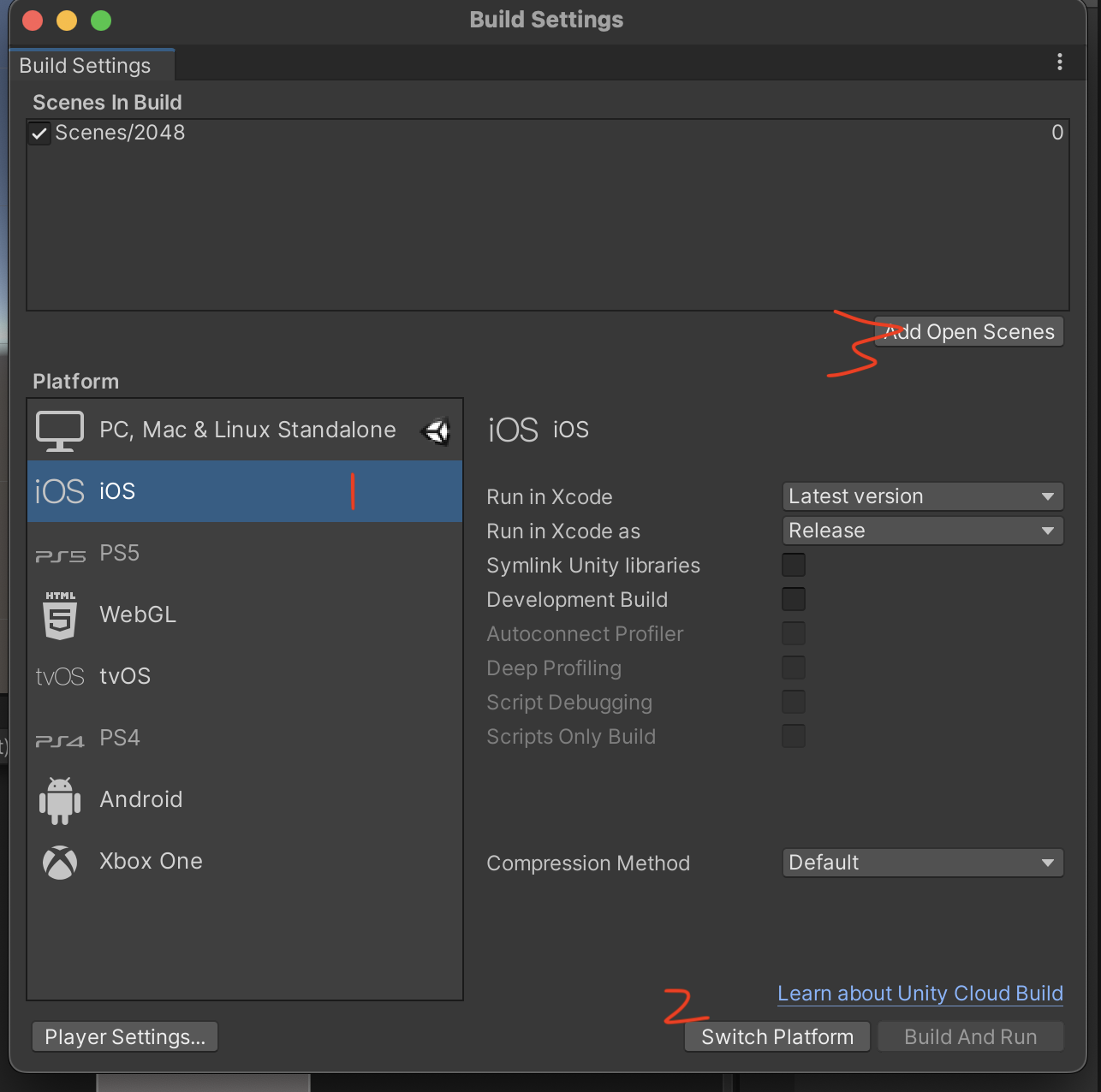
2.选择要导出的平台,这里选择iOS,然后点击右下角的"Switch Plateform"按钮,然后点击上面的“Add Open Scenes”添加场景
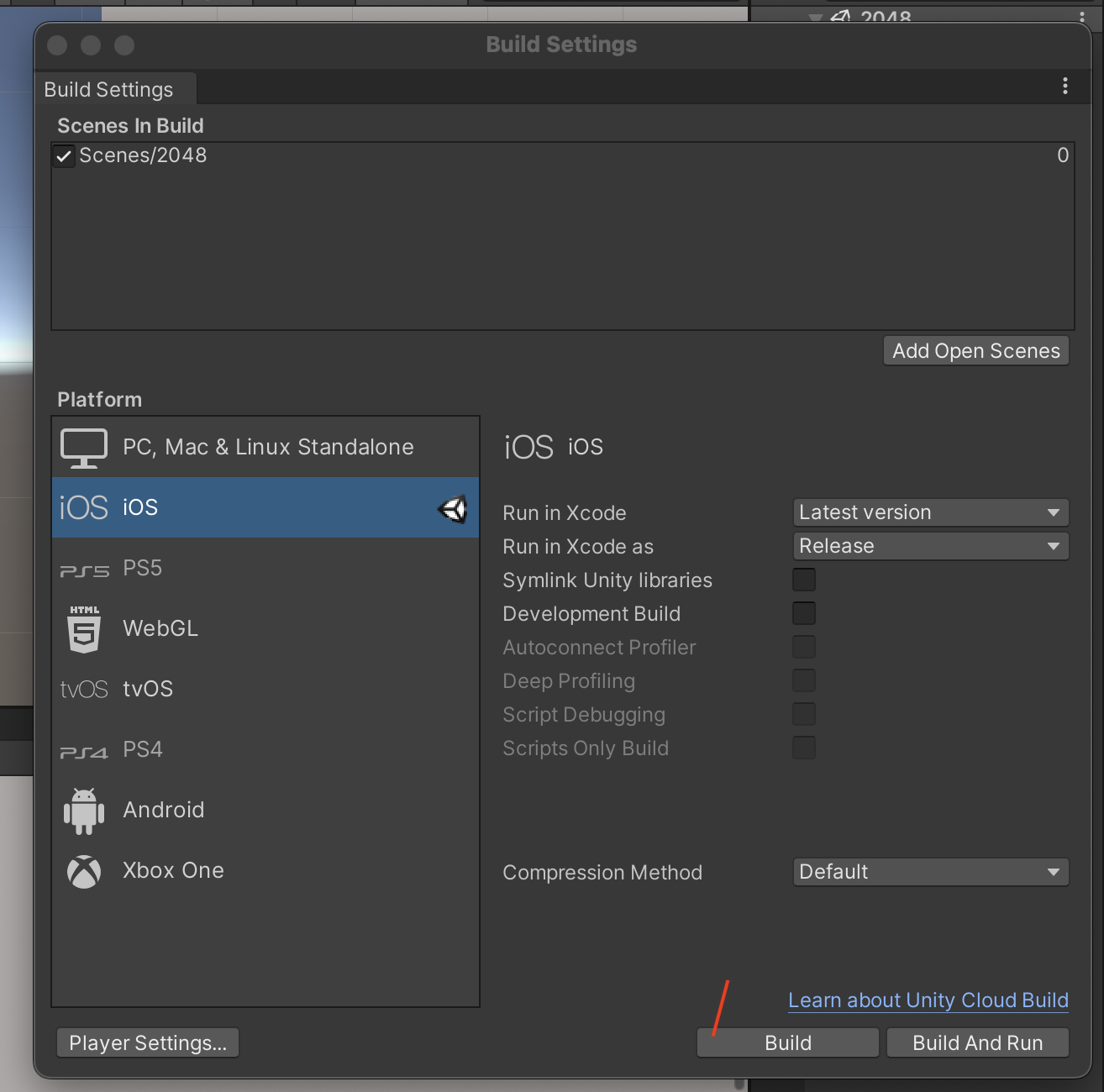
3.点击“Build”,导出iOS项目
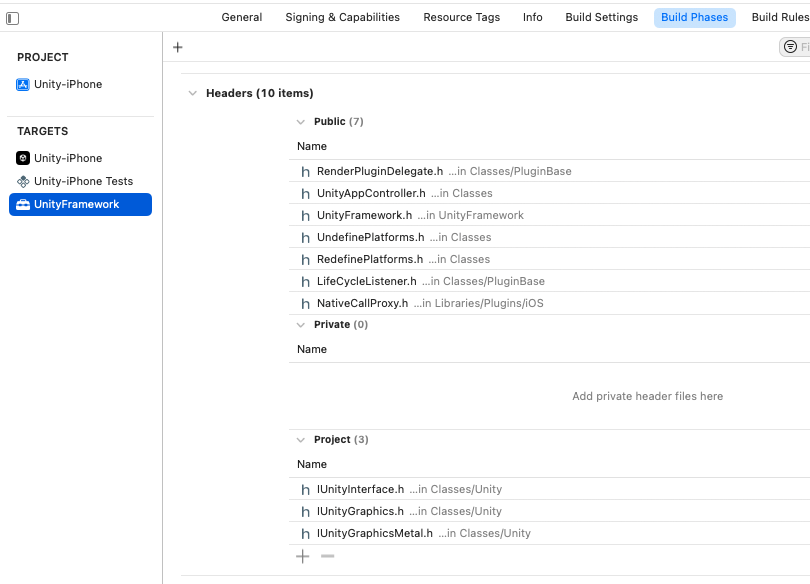
__attribute__ ((visibility("default")))
@interface FrameworkLibAPI : NSObject
// call it any time after UnityFrameworkLoad to set object implementing NativeCallsProtocol methods
+(void) registerAPIforNativeCalls:(id<NativeCallsProtocol>) aApi;

@end
@implementation FrameworkLibAPI

id<NativeCallsProtocol> api = NULL;
+(void) registerAPIforNativeCalls:(id<NativeCallsProtocol>) aApi
{
    api = aApi;
}

@end
extern "C" {
    void showHostMainWindow(const char* color) { return [api showHostMainWindow:[NSString stringWithUTF8String:color]]; }
}
- (void)initUnity
{
    [self setUfw: UnityFrameworkLoad()];
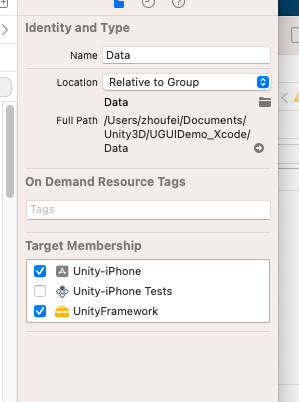
    // Set UnityFramework target for Unity-iPhone/Data folder to make Data part of a UnityFramework.framework and uncomment call to setDataBundleId
    // ODR is not supported in this case, ( if you need embedded and ODR you need to copy data )
    [[self ufw] setDataBundleId: "com.unity3d.framework"];
    [[self ufw] registerFrameworkListener: self];
    [NSClassFromString(@"FrameworkLibAPI") registerAPIforNativeCalls:self];
 }
#if UNITY_IOS || UNITY_TVOS
public class NativeAPI {
    [DllImport("__Internal")]
    public static extern void showHostMainWindow(string lastStringColor);
}
#endif
void OnGUI()
{
    GUIStyle style = new GUIStyle("button");
    style.fontSize = 45;
    if (GUI.Button(new Rect(10, 300, 600, 100), "Show Main With Color", style)) showHostMainWindow();
}


void showHostMainWindow()
{
#if UNITY_ANDROID
    try
    {
        AndroidJavaClass jc = new AndroidJavaClass("com.unity.mynativeapp.SharedClass");
        jc.CallStatic("showMainActivity", lastStringColor);
    } catch(Exception e)
    {
        appendToText("Exception during showHostMainWindow");
        appendToText(e.Message);
    }
#elif UNITY_IOS || UNITY_TVOS
    NativeAPI.showHostMainWindow(lastStringColor);
#endif
}
self.btnSendMsg = [UIButton buttonWithType: UIButtonTypeSystem];
[self.btnSendMsg setTitle: @"Send Msg" forState: UIControlStateNormal];
[self.btnSendMsg addTarget: self action: @selector(sendMsgToUnity) forControlEvents: UIControlEventPrimaryActionTriggered];


- (void)sendMsgToUnity
{
    [[self ufw] sendMessageToGOWithName: "Cube" functionName: "ChangeColor" message: "yellow"];
}

/*
goName: 场景中的游戏物体GameObject
name: 这个游戏物体挂载的脚本中的一个方法
msg: 参数
*/
- (void)sendMessageToGOWithName:(const char*)goName functionName:(const char*)name message:(const char*)msg
{
    UnitySendMessage(goName, name, msg);
}

void  UnitySendMessage(const char* obj, const char* method, const char* msg);
string lastStringColor = "";
void ChangeColor(string newColor)
{
    appendToText( "Changing Color to " + newColor );

    lastStringColor = newColor;

    if (newColor == "red") GetComponent<Renderer>().material.color = Color.red;
    else if (newColor == "blue") GetComponent<Renderer>().material.color = Color.blue;
    else if (newColor == "yellow") GetComponent<Renderer>().material.color = Color.yellow;
    else GetComponent<Renderer>().material.color = Color.black;
}