Containerd 的技术方向和目标
- 简洁的基于 gRPC 的 API 和 client library
- 完整的 OCI 支持(runtime 和 image spec)
- 同时具备稳定性和高性能的定义良好的容器核心功能
- 一个解耦的系统(让 image、filesystem、runtime 解耦合),实现插件式的扩展和重用
为什么需要独立的 containerd:
- 以往隶属于docker项目中,现如今从整体 docker 引擎中分离出的项目(开源项目的思路)
- 可以被 Kubernets CRI 等项目使用(通用化)
- 为广泛的行业合作打下基础(就像 runC 一样)
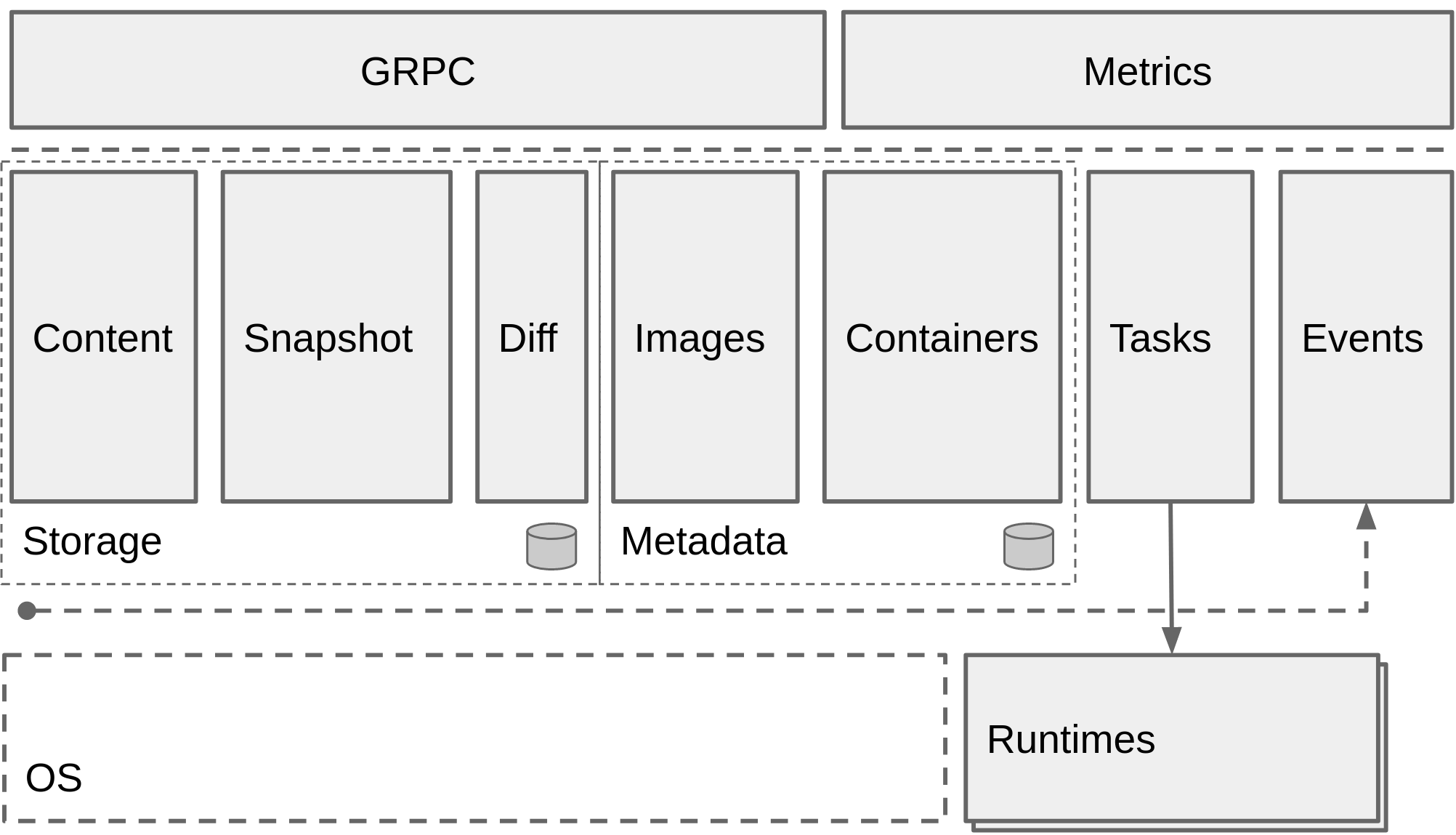
containerd的架构设计图:
安装containerd
验证仓库版本:
| root@containerd:~ apt-cache madison containerd |

ubuntu在线仓库版本不是最新,可以使用github仓库中的新版本,使用二进制方式部署
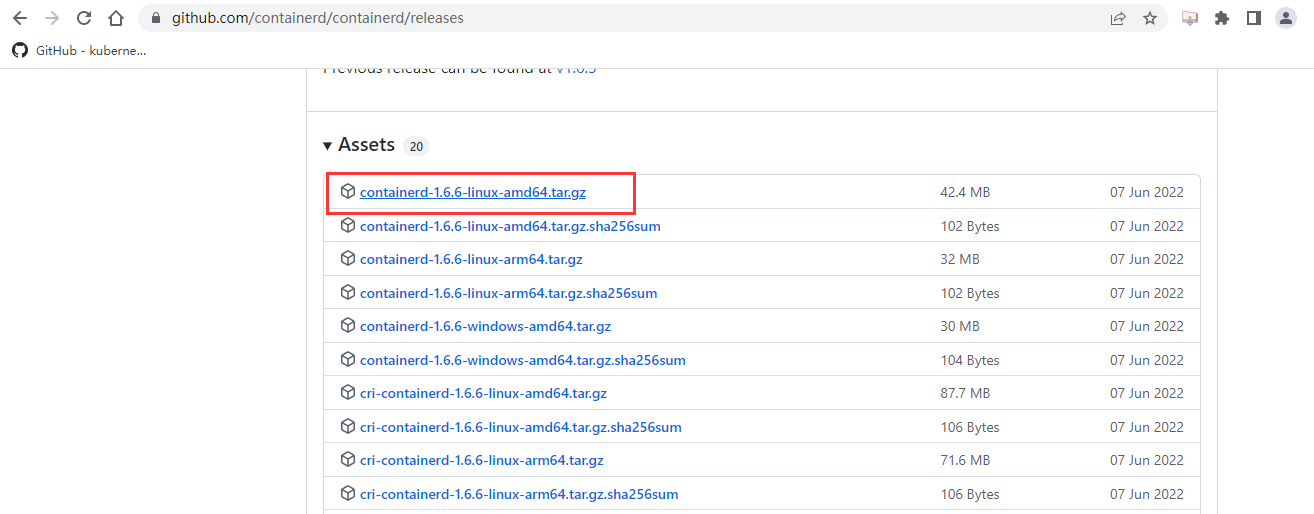
下载二进制安装包
github链接地址:https://github.com/containerd/containerd/releases
选择64位x86架构系统安装包
上传安装包到服务器并开始解压安装

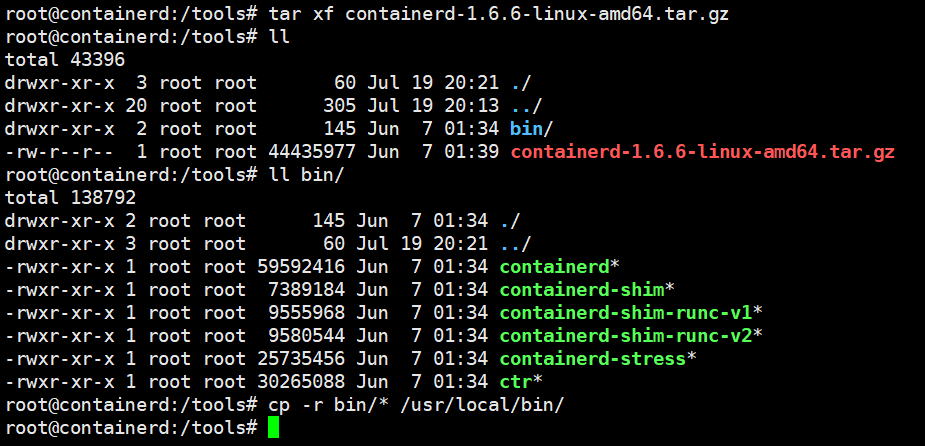
解压缩并将containerd执行文件放入系统默认命令路径下
| root@containerd:/tools tar xf containerd-1.6.6-linux-amd64.tar.gz | |
| root@containerd:/tools cp -r bin/* /usr/local/bin/ |
创建containerd systemd service启动管理文件:
修改ExecStart=/usr/local/bin/containerd为当前containerd文件路径
| root@containerd:/tools cd /etc/systemd/system/ | |
| root@containerd:/etc/systemd/system# cat containerd.service | |
| # Copyright The containerd Authors. | |
| # | |
| # Licensed under the Apache License, Version 2.0 (the "License"); | |
| # you may not use this file except in compliance with the License. | |
| # You may obtain a copy of the License at | |
| # | |
| # http://www.apache.org/licenses/LICENSE-2.0 | |
| # | |
| # Unless required by applicable law or agreed to in writing, software | |
| # distributed under the License is distributed on an "AS IS" BASIS, | |
| # WITHOUT WARRANTIES OR CONDITIONS OF ANY KIND, either express or implied. | |
| # See the License for the specific language governing permissions and | |
| # limitations under the License. | |
| [Unit] | |
| Description=containerd container runtime | |
| Documentation=https://containerd.io | |
| After=network.target local-fs.target | |
| [Service] | |
| ExecStartPre=-/sbin/modprobe overlay | |
| ExecStart=/usr/local/bin/containerd | |
| Type=notify | |
| Delegate=yes | |
| KillMode=process | |
| Restart=always | |
| RestartSec=5 | |
| # Having non-zero Limit*s causes performance problems due to accounting overhead | |
| # in the kernel. We recommend using cgroups to do container-local accounting. | |
| LimitNPROC=infinity | |
| LimitCORE=infinity | |
| LimitNOFILE=infinity | |
| # Comment TasksMax if your systemd version does not supports it. | |
| # Only systemd 226 and above support this version. | |
| TasksMax=infinity | |
| OOMScoreAdjust=-999 | |
| [Install] | |
| WantedBy=multi-user.target |
重新加载系统管理服务文件
| root@containerd:/etc/systemd/system# systemctl daemon-reload |
创建配置文件
| root@containerd:/etc/systemd/system# mkdir /etc/containerd |
生成模板配置文件
| root@containerd:/etc/systemd/system# containerd config default > /etc/containerd/config.toml |
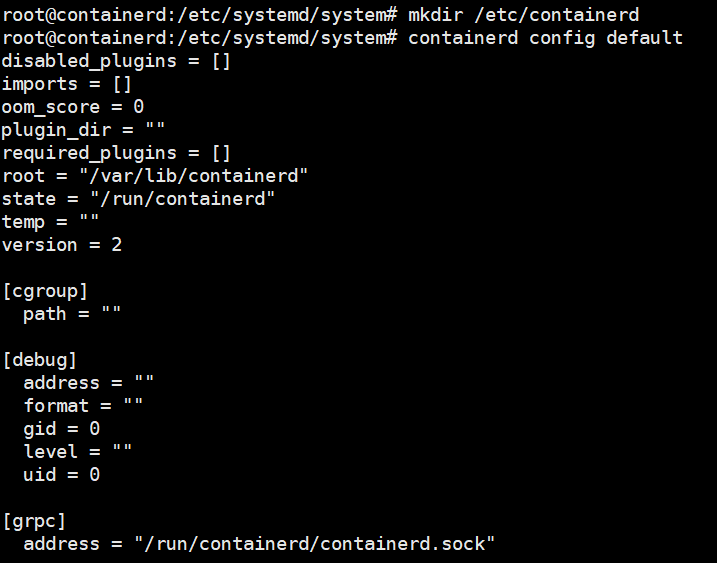
修改配置文件
| root@containerd:/etc/systemd/system# cd /etc/containerd/ | |
| root@containerd:/etc/containerd# vim config.toml |
vim下搜索/mirrors,添加镜像加速,使用docker镜像源即可,上下级配置,缩进两个空格。
| [plugins."io.containerd.grpc.v1.cri".registry.mirrors] | |
| [plugins."io.containerd.grpc.v1.cri".registry.mirrors."docker.io"] | |
| endpoint = ["https://dxc7f1d6.mirror.aliyuncs.com"] |
如果是从docker.io下载进行,则使用endpoint配置的镜像站点加速下载

启动containerd并设置开机自启动
| root@containerd:/etc/containerd# systemctl enable containerd --now |

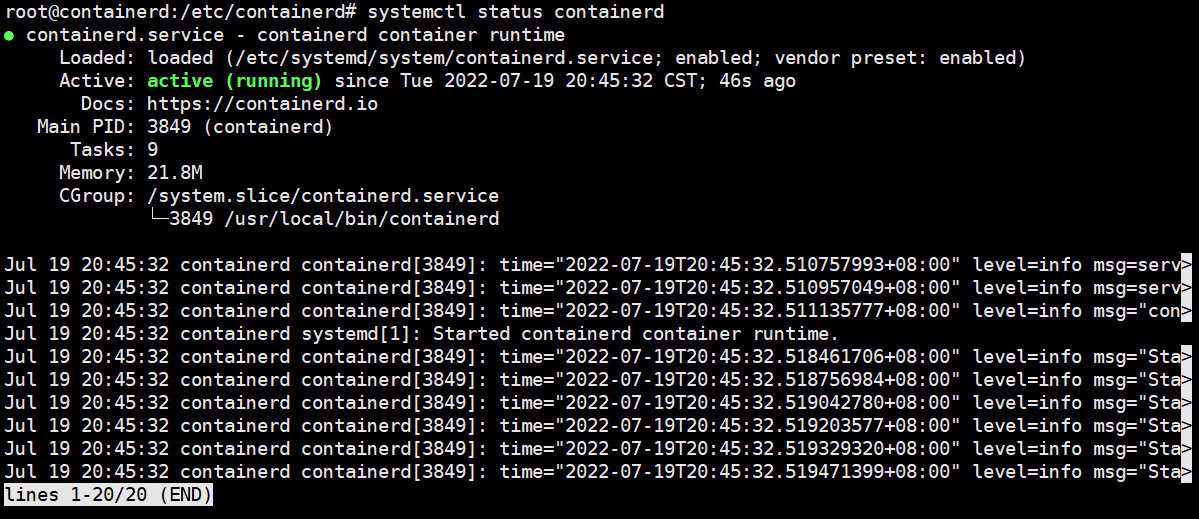
安装runc
github下载链接:https://github.com/opencontainers/runc/releases
下载最新版本
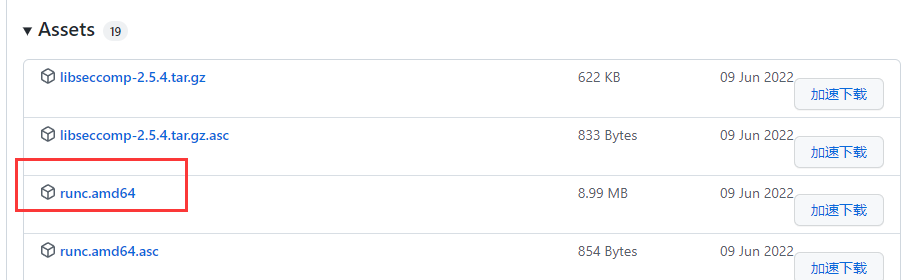
上传到服务器
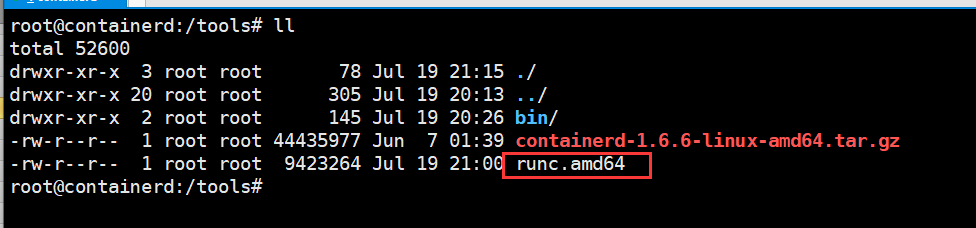
| root@containerd:/tools# chmod +x runc.amd64 | |
| root@containerd:/tools# cp runc.amd64 /usr/local/bin/runc |
验证使用containerd
containerd是ctrl工具在服务器上创建、管理和使用容器
| root@containerd:~# ctr --help | |
| NAME: | |
| ctr - | |
| __ | |
| _____/ /______ | |
| / ___/ __/ ___/ | |
| / /__/ /_/ / | |
| \___/\__/_/ | |
| containerd CLI | |
| USAGE: | |
| ctr [global options] command [command options] [arguments...] | |
| VERSION: | |
| v1.6.6 | |
| DESCRIPTION: | |
| ctr is an unsupported debug and administrative client for interacting | |
| with the containerd daemon. Because it is unsupported, the commands, | |
| options, and operations are not guaranteed to be backward compatible or | |
| stable from release to release of the containerd project. | |
| COMMANDS: | |
| plugins, plugin provides information about containerd plugins | |
| version print the client and server versions | |
| containers, c, container manage containers | |
| content manage content | |
| events, event display containerd events | |
| images, image, i manage images | |
| leases manage leases | |
| namespaces, namespace, ns manage namespaces | |
| pprof provide golang pprof outputs for containerd | |
| run run a container | |
| snapshots, snapshot manage snapshots | |
| tasks, t, task manage tasks | |
| install install a new package | |
| oci OCI tools | |
| shim interact with a shim directly | |
| help, h Shows a list of commands or help for one command | |
| GLOBAL OPTIONS: | |
| --debug enable debug output in logs | |
| --address value, -a value address for containerd's GRPC server (default: "/run/containerd/containerd.sock") [$CONTAINERD_ADDRESS] | |
| --timeout value total timeout for ctr commands (default: 0s) | |
| --connect-timeout value timeout for connecting to containerd (default: 0s) | |
| --namespace value, -n value namespace to use with commands (default: "default") [$CONTAINERD_NAMESPACE] | |
| --help, -h show help | |
| --version, -v print the version |
拉取镜像
与docker区别在于拉取官方镜像必须指定镜像的完整名称包括镜像仓库地址
| root@containerd:~# ctr images pull docker.io/library/nginx:latest |
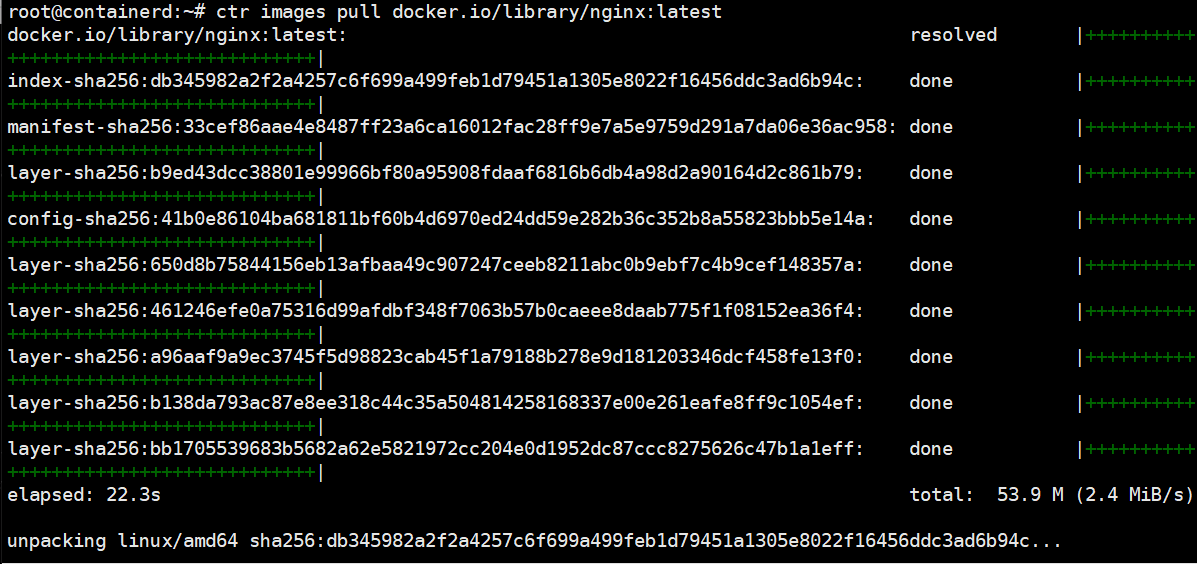
查看本地的镜像
| root@containerd:~# ctr images ls |

运行容器
| root@containerd:~# ctr run -t docker.io/library/nginx:latest container1 bash |

container客户端工具
客户端工具有两种,分别是crictl和nerdctl
推荐使用nerdctl,使用效果与docker命令的语法一致
github下载链接:https://github.com/containerd/nerdctl/releases
下载安装nerdctl
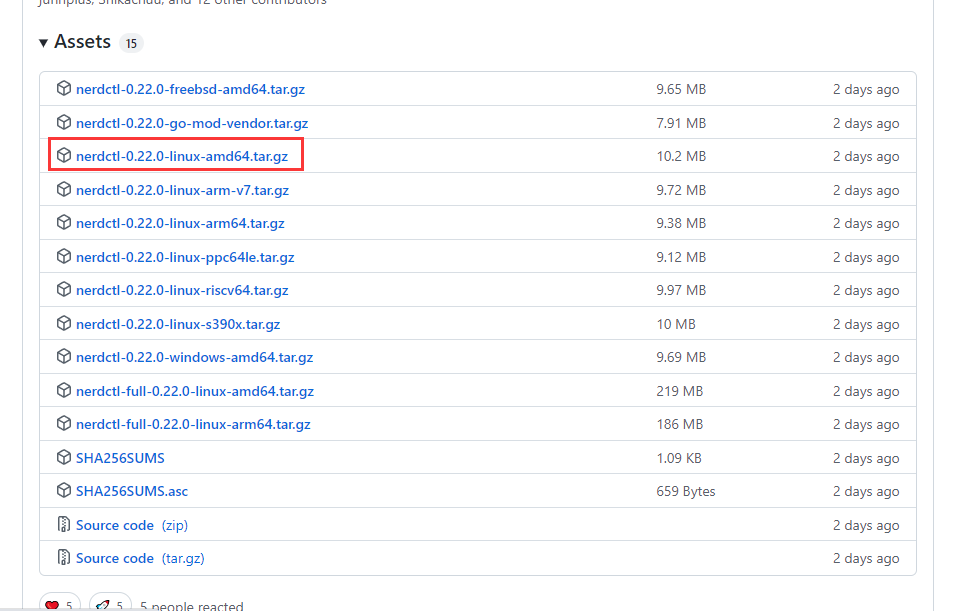
解压安装nerdctl

拷贝nerdctl到系统二进制命令路径下
| root@containerd:/tools# cp nerdctl /usr/local/bin/ |
验证版本
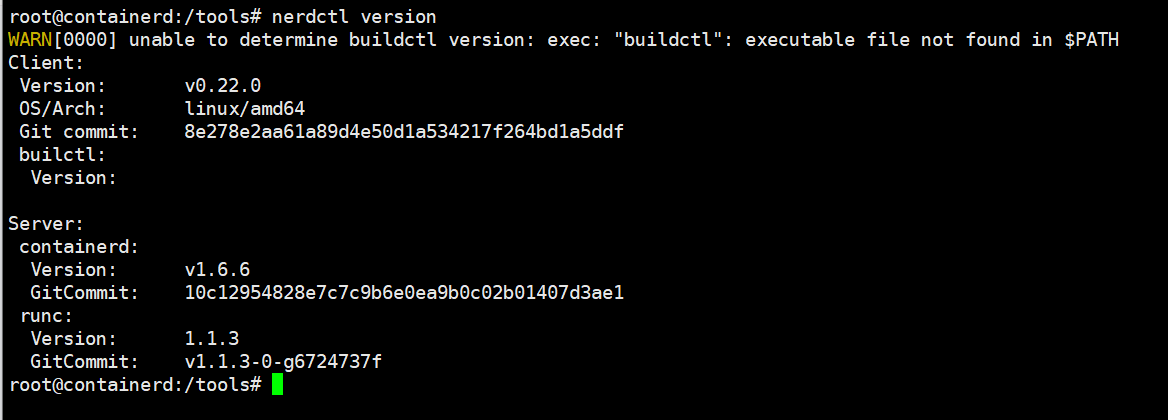
查看nerdctl使用帮助,与docker客户端工具使用方法基本一致
| root@containerd:~# nerdctl --help | |
| nerdctl is a command line interface for containerd | |
| Config file ($NERDCTL_TOML): /etc/nerdctl/nerdctl.toml | |
| Usage: | |
| nerdctl [flags] | |
| nerdctl [command] | |
| Management commands: | |
| apparmor Manage AppArmor profiles | |
| builder Manage builds | |
| container Manage containers | |
| image Manage images | |
| ipfs Distributing images on IPFS | |
| namespace Manage containerd namespaces | |
| network Manage networks | |
| system Manage containerd | |
| volume Manage volumes | |
| Commands: | |
| build Build an image from a Dockerfile. Needs buildkitd to be running. | |
| commit Create a new image from a container's changes | |
| completion Generate the autocompletion script for the specified shell | |
| compose Compose | |
| cp Copy files/folders between a running container and the local filesystem. | |
| create Create a new container. Optionally specify "ipfs://" or "ipns://" scheme to pull image from IPFS. | |
| events Get real time events from the server | |
| exec Run a command in a running container | |
| help Help about any command | |
| history Show the history of an image | |
| images List images | |
| info Display system-wide information | |
| inspect Return low-level information on objects. | |
| kill Kill one or more running containers | |
| load Load an image from a tar archive or STDIN | |
| login Log in to a Docker registry | |
| logout Log out from a Docker registry | |
| logs Fetch the logs of a container. Currently, only containers created with `nerdctl run -d` are supported. | |
| pause Pause all processes within one or more containers | |
| port List port mappings or a specific mapping for the container | |
| ps List containers | |
| pull Pull an image from a registry. Optionally specify "ipfs://" or "ipns://" scheme to pull image from IPFS. | |
| push Push an image or a repository to a registry. Optionally specify "ipfs://" or "ipns://" scheme to push image to IPFS. | |
| rename rename a container | |
| restart Restart one or more running containers | |
| rm Remove one or more containers | |
| rmi Remove one or more images | |
| run Run a command in a new container. Optionally specify "ipfs://" or "ipns://" scheme to pull image from IPFS. | |
| save Save one or more images to a tar archive (streamed to STDOUT by default) | |
| start Start one or more running containers | |
| stats Display a live stream of container(s) resource usage statistics. | |
| stop Stop one or more running containers | |
| tag Create a tag TARGET_IMAGE that refers to SOURCE_IMAGE | |
| top Display the running processes of a container | |
| unpause Unpause all processes within one or more containers | |
| update Update one or more running containers | |
| version Show the nerdctl version information | |
| wait Block until one or more containers stop, then print their exit codes. | |
| Flags: | |
| -H, --H string Alias of --address (default "/run/containerd/containerd.sock") | |
| -a, --a string Alias of --address (default "/run/containerd/containerd.sock") | |
| --address string containerd address, optionally with "unix://" prefix [$CONTAINERD_ADDRESS] (default "/run/containerd/containerd.sock") | |
| --cgroup-manager string Cgroup manager to use ("cgroupfs"|"systemd") (default "cgroupfs") | |
| --cni-netconfpath string cni config directory [$NETCONFPATH] (default "/etc/cni/net.d") | |
| --cni-path string cni plugins binary directory [$CNI_PATH] (default "/opt/cni/bin") | |
| --data-root string Root directory of persistent nerdctl state (managed by nerdctl, not by containerd) (default "/var/lib/nerdctl") | |
| --debug debug mode | |
| --debug-full debug mode (with full output) | |
| -h, --help help for nerdctl | |
| --host string Alias of --address (default "/run/containerd/containerd.sock") | |
| --hosts-dir strings A directory that contains <HOST:PORT>/hosts.toml (containerd style) or <HOST:PORT>/{ca.cert, cert.pem, key.pem} (docker style) (default [/etc/containerd/certs.d,/etc/docker/certs.d]) | |
| --insecure-registry skips verifying HTTPS certs, and allows falling back to plain HTTP | |
| -n, --n string Alias of --namespace (default "default") | |
| --namespace string containerd namespace, such as "moby" for Docker, "k8s.io" for Kubernetes [$CONTAINERD_NAMESPACE] (default "default") | |
| --snapshotter string containerd snapshotter [$CONTAINERD_SNAPSHOTTER] (default "overlayfs") | |
| --storage-driver string Alias of --snapshotter (default "overlayfs") | |
| -v, --version version for nerdctl | |
| Use "nerdctl [command] --help" for more information about a command. |
查看镜像、容器:

拉取镜像:
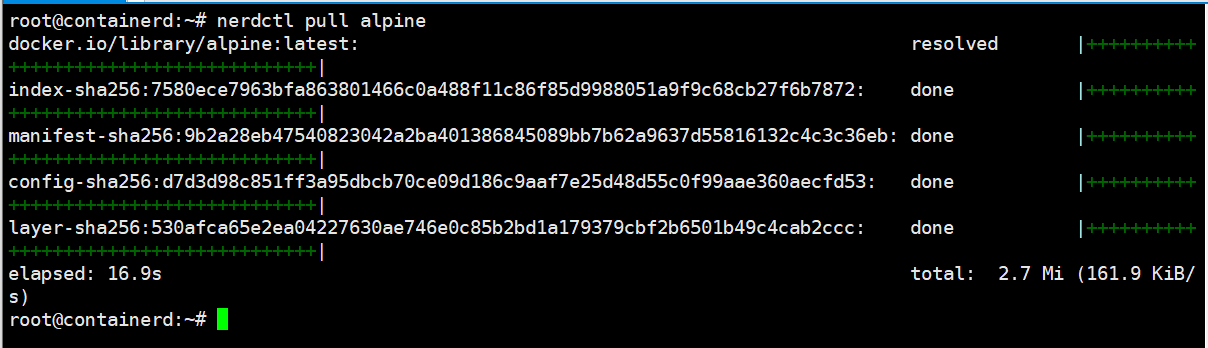
安装cni网络插件
CNI:Container network interface容器网络接口,为容器分配ip地址网卡等
github链接:
| https://github.com/containernetworking/plugins/releases |
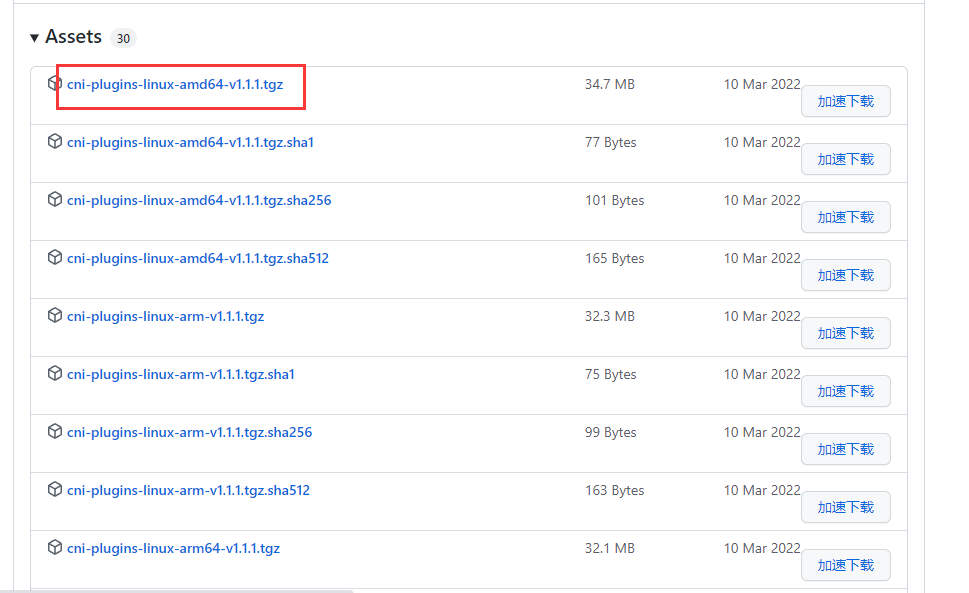
下载安装cni,并解压到/usr/local/cni/bin目录下
| root@containerd:/tools# mkdir /opt/cni/bin -p | |
| root@containerd:/tools# tar xf cni-plugins-linux-amd64-v1.1.1.tgz -C /opt/cni/bin/ |
查看解压后的cni插件文件:
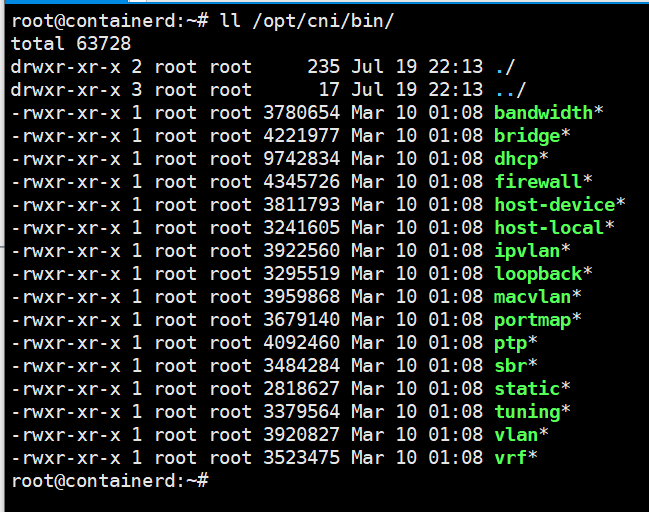
注意:必须将cni解压到/opt/cni/bin,否则nerdctl为容器映射端口时,会出现找不到cni插件的报错
| root@containerd:~# nerdctl run -d -p 80:80 --name=web --restart=always nginx:latest | |
| FATA[0000] needs CNI plugin "bridge" to be installed in CNI_PATH ("/opt/cni/bin"), see https://github.com/con stat /opt/cni/bin/bridge: no such file or directory |

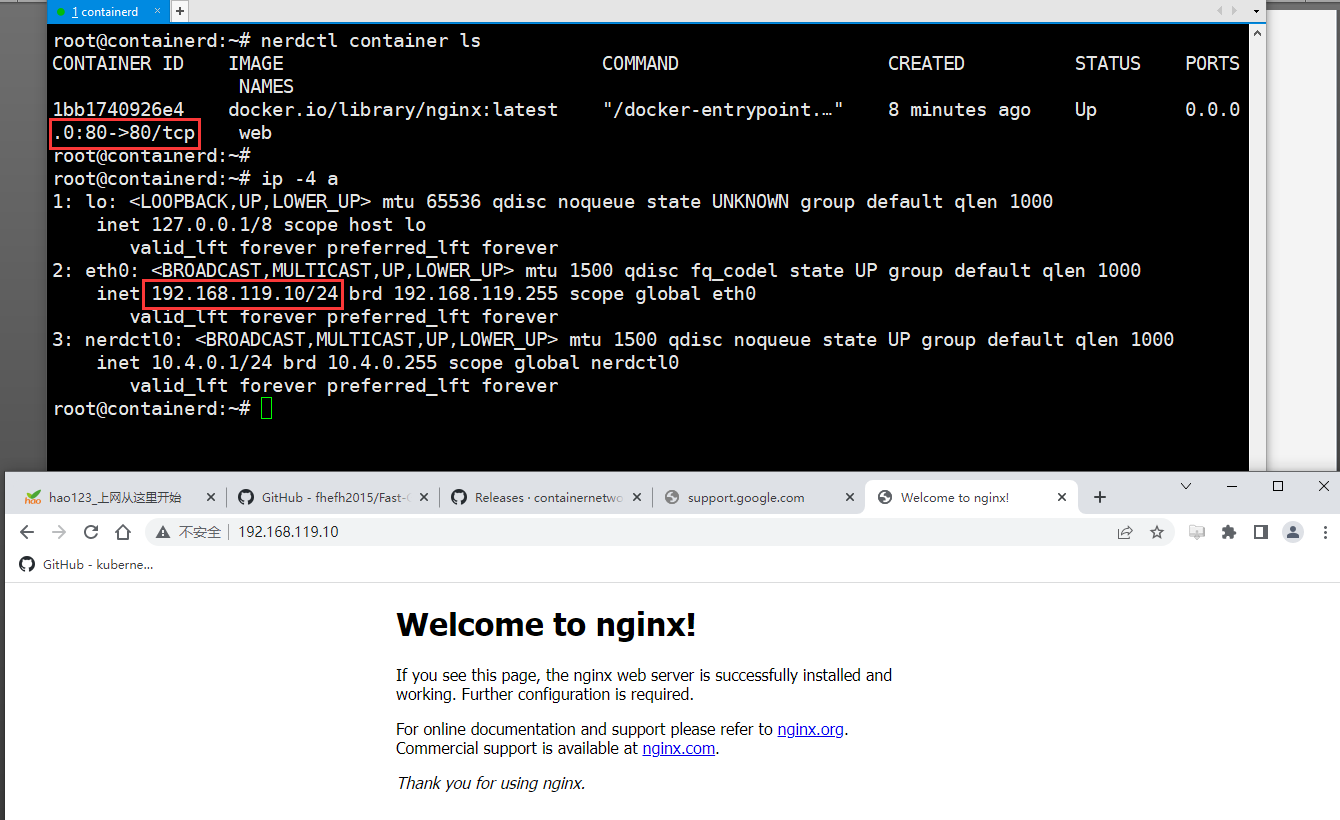
验证:使用nerdctl运行一个容器

宿主机访问容器映射到宿主机80端口